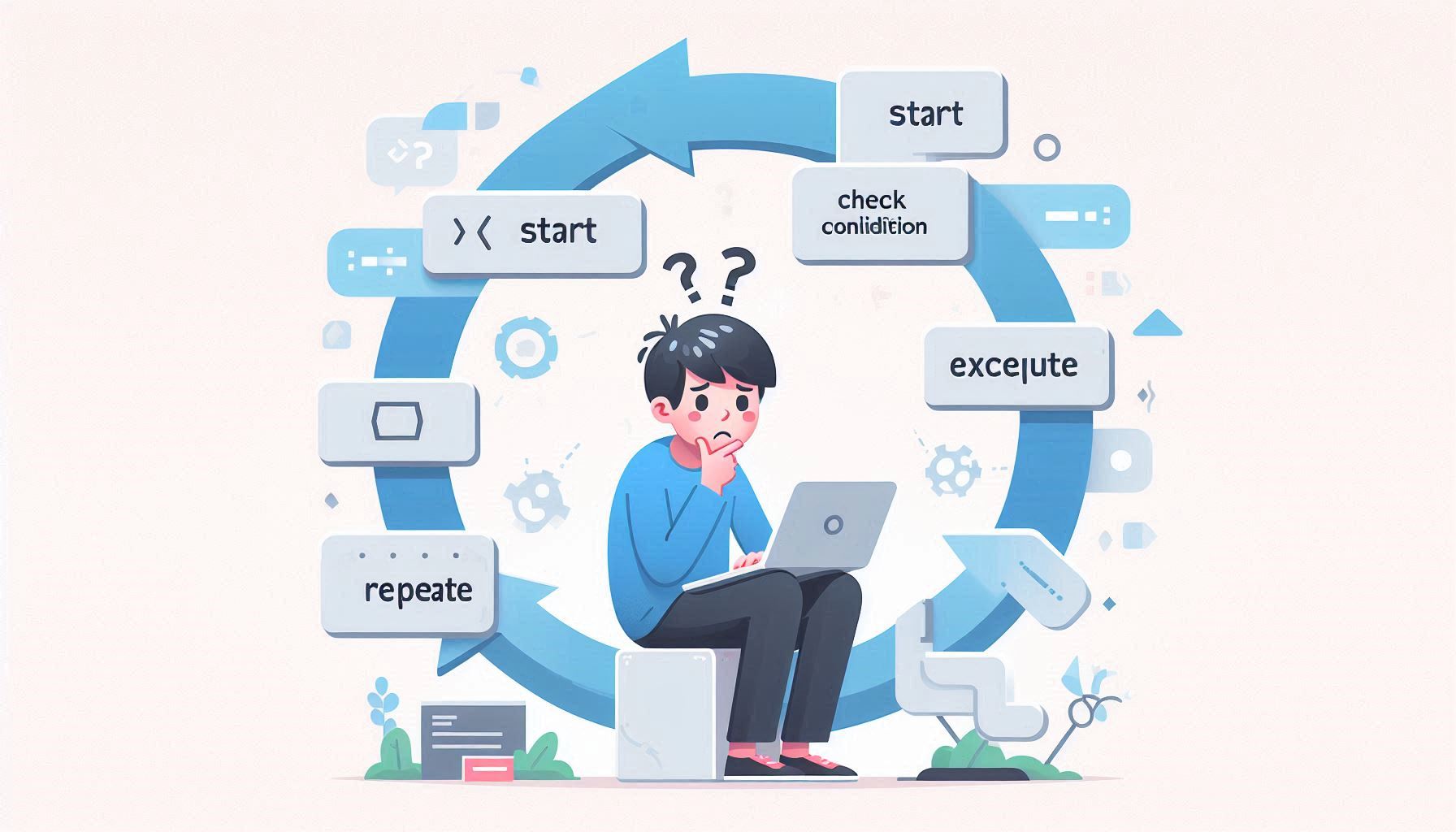
If you have ever written a loop that looked correct but behaved strangely, you are not alone.
Most beginners can write loops by copying examples. Very few understand what actually happens when a loop runs. When the output is wrong, it feels random. Confidence drops quickly.
This article will help you understand loops the way a computer executes them. You will learn why loops confuse beginners, how loops really work step by step, and how to predict loop behavior before running any code.
Different Loop Types
For loops
Used when the number of repetitions is known in advance. They keep start, stop, and update logic visible in one place.
While loops
Used when the number of repetitions is not known beforehand. The loop continues as long as a condition remains true.
Do-while loops
Used when the loop must run at least once before checking any condition. The condition is evaluated after the first run.
For-each or collection loops (optional)
Used to go through each item in a collection without managing counters. They reduce errors when indexing is not needed.
By the end, loops will stop feeling like guesswork.
Step 1: Why Loops Feel Hard to Beginners
Loops feel hard because they clash with how humans think.
Humans think in results.
Computers work in steps.
When you read a loop, your brain jumps to the final output. The computer never does that. It only executes the next instruction.
Until you slow down and think step by step, loops will always feel confusing.
Step 2: What a Loop Really Is (Conceptual View)
A loop is not a shortcut.
A loop is controlled repetition.
Every loop answers three questions:
-
Where does it start?
-
When does it stop?
-
What changes each time?
If any of these are unclear, the loop becomes unpredictable.
Step 3: Seeing a Loop Step by Step (With Table)
Example Code:
Beginners read this as “print numbers from 1 to 3”.
That skips the execution.
Step-by-Step Execution Table
| Step | i value | Condition (i <= 3) | Action |
|---|---|---|---|
| 1 | 1 | true | print 1 |
| 2 | 2 | true | print 2 |
| 3 | 3 | true | print 3 |
| 4 | 4 | false | stop |
This table is the loop.
Nothing else is happening.
If you cannot build this table, you are guessing.
Step 4: Why Loop Variables Feel Confusing
The loop variable changes automatically, and that feels unnatural to beginners.
Real Life Analogy
Think of a loop variable like a page number in a book.
You read one page, then turn to the next. You do not jump to the last page. You stop when the book ends.
Loops move forward one step at a time, exactly like that.
Step 5: Why Off-By-One Errors Are So Common
This line causes pain:
Beginners expect 1 to 5. The loop prints 1 to 4.
Why This Happens
The condition is checked before each repetition.
Simple Rule
The loop stops the moment the condition becomes false.
It does not care what you intended.
Once you accept this, off-by-one errors stop feeling mysterious.
Step 6: Understanding While Loops Without Fear
Example
Beginners often think “run until x becomes 3”.
That is wrong.
Correct thinking:
Run while x is still allowed to continue.
Analogy
It is like checking if a door is still open before walking through. The moment it closes, you stop.
Step 7: Why Infinite Loops Happen
Infinite loops happen when nothing inside the loop changes the stopping condition.
Analogy
You keep checking the distance to your destination, but you never move forward. You will never arrive.
Before running a loop, ask one question:
What changes that will eventually make this stop?
If the answer is nothing, the loop will never end.
Step 8: Nested Loops Without Overload
Nested loops overwhelm beginners because they try to understand everything at once.
Key Rule
The inner loop finishes completely before the outer loop moves forward.
Mental Model
Freeze the outer loop.
Run the inner loop fully.
Then move the outer loop one step.
This removes mental overload immediately.
Step 9: Quick Note on Loop Types (Concept Overview)
All loops follow the same idea.
-
for loop: repeat a known number of times
-
while loop: repeat while a condition holds
-
do-while loop: repeat at least once, then check condition
Different forms, same execution logic.
Step 10: Small Practice Exercise (Do Not Skip)
Question
What will this print?
Do not run it.
Trace it.
Answer (Traced)
| i | total |
|---|---|
| 1 | 1 |
| 2 | 3 |
| 3 | 6 |
| 4 | 10 |
Output:
If you guessed, you skipped understanding.
Practice Exercise 2 (Trace Before Running)
What will this loop print?
Pause.
Trace it step by step.
Answer
| i | count |
|---|---|
| 2 | 2 |
| 4 | 6 |
| 6 | 12 |
Output:
If you got this wrong, the mistake is not math. It is skipped execution thinking.
Step 11: How Beginners Should Practice Loops
Do this deliberately:
-
Write loops that only print values
-
Trace at least one loop using a table
-
Predict output before running code
-
Use meaningful variable names
-
Break loops on purpose and fix them
This builds understanding, not memorization.
Understanding Different Forms of the for Loop (Concept, Not Syntax)
Many beginners think a for loop has only one fixed shape. That belief itself creates confusion.
In reality, a for loop is flexible. What matters is not where the code is written, but whether the three core responsibilities are handled:
-
Initialization (where things start)
-
Condition (when to stop)
-
Update (what changes each time)
Let’s look at different variations and understand them conceptually.
Variation 1: Initialization Outside the Loop
What is happening conceptually
-
Initialization is done before the loop
-
Condition is checked before each run
-
Update happens after each run
Mental model
This loop behaves exactly the same as a regular for loop.
The only difference is where the starting value is written, not how the loop executes.
Key takeaway:
The for loop does not care where initialization happens, as long as it happens before execution starts.
Variation 2: Update Inside the Loop Body
What is happening conceptually
-
Initialization happens before the loop
-
Condition is checked at the top
-
Update is done manually inside the loop body
Real understanding
This loop still answers the same three questions:
-
Where do we start? →
i = 1 -
When do we stop? →
i <= 5 -
What changes? →
i++
The loop works because nothing essential is missing.
Key takeaway:
The update does not need to live in the loop header. It just needs to exist.
Variation 3: Infinite for Loop with Manual Control
At first glance, this looks scary. It should not.
What is happening conceptually
-
There is no condition in the loop header
-
The loop runs forever by default
-
Stopping logic is handled manually using
ifandbreak
Real life analogy
This is like walking forward without a visible stop sign, but checking each step:
“If I have reached the destination, stop walking.”
Key takeaway:
A loop does not need a condition in its header to stop.
It only needs a clear exit path.
Important Concept: All These Loops Are Doing the Same Thing
Every example above:
-
Starts at 1
-
Prints numbers up to 5
-
Stops correctly
They look different, but they execute the same logic.
This is a critical lesson for beginners:
Loops are about control flow, not syntax shape.
Using Multiple Variables in a for Loop
A for loop can manage more than one variable at the same time.
Example
Conceptual explanation
-
Multiple variables can be initialized together
-
Multiple updates can happen together
-
The condition can involve more than one variable
When this is useful
-
Comparing two sequences
-
Tracking position and count together
-
Moving from both ends of a structure
Key takeaway:
A for loop is a control structure, not a counter.
How This Fits Into the Bigger Picture
All loop variations reinforce one core idea:
If you can clearly answer:
-
What changes?
-
What is checked?
-
What stops the loop?
You understand the loop, regardless of how it is written.
Beginners struggle because they focus on how the loop looks, not how it executes.
Optional Note You Can Add (Short and Powerful)
If a loop confuses you, rewrite it using a table or move the logic outside the loop header. Understanding matters more than elegance.
Comparison Table: Same Logic, Different for Loop Forms
All the loops below do the same job:
They print numbers from 1 to 5.
What changes is where the responsibility is written, not how the loop executes.
Side-by-Side Comparison
| Loop Form | Initialization | Condition Check | Update | Exit Control | Key Insight |
|---|---|---|---|---|---|
Standard for loop |
Inside loop header | Inside loop header | Inside loop header | Automatic when condition fails | Most compact and readable |
| Init outside loop | Before loop | Inside loop header | Inside loop header | Automatic when condition fails | Initialization location does not matter |
| Update inside body | Before loop | Inside loop header | Inside loop body | Automatic when condition fails | Update just needs to exist |
Infinite for with break |
Before loop | Manual (if) |
Inside loop body | Explicit using break |
Loop stops by logic, not syntax |
| Multiple variables | Inside loop header | Combined condition | Combined updates | Automatic when condition fails | Loop can manage more than one state |
Code References for Each Row (Quick Recall)
Standard form
Initialization outside
Update inside loop body
Infinite loop with manual exit
Multiple variables
What Beginners Should Learn From This Table
All for loops boil down to the same three responsibilities:
-
Start somewhere
-
Change something
-
Stop at the right time
If those three are present, the loop works.
If one is missing, the loop breaks or runs forever.
Do not memorize loop shapes.
Understand loop control.
One-Line Rule Worth Highlighting
If you can point to where the loop starts, what changes, and how it stops, you understand the loop.
Decision Guide: Which Loop Style Should You Use?
Beginners often ask, “Which loop is correct?”
The honest answer: many loops can be correct.
The right choice depends on what you know before the loop starts and how you want to control it.
Use this guide to decide.
Step 1: Do You Know How Many Times the Loop Should Run?
Yes, the count is known
Use a for loop.
Example situations:
-
Print numbers 1 to 10
-
Run something exactly 5 times
-
Loop through a fixed range
Why:
A for loop makes the start, stop, and update visible in one place.
No, the count is not known
Move to Step 2.
Step 2: Is the Condition Checked Before Running the Loop?
Yes, the loop should run only if the condition is true
Use a while loop.
Example situations:
-
Read input until the user enters a valid value
-
Process data while something is available
-
Repeat until a condition becomes false
Why:
A while loop clearly expresses “keep going while this is allowed.”
No, the loop must run at least once
Use a do-while loop.
Example situations:
-
Show a menu at least once
-
Ask for input at least once before validating
-
Perform an action before checking a condition
Why:
A do-while loop guarantees one execution.
Step 3: Do You Need Full Manual Control Over When the Loop Stops?
Yes, exit depends on complex logic
Use a controlled infinite loop with break.
Example situations:
-
Multiple exit conditions
-
Event-driven processing
-
State-based workflows
Why:
This gives you explicit control over when and why the loop ends.
Important rule:
If you use this style, your exit logic must be obvious and safe.
Step 4: Are You Tracking More Than One Value at the Same Time?
Yes, multiple values change together
Use a for loop with multiple variables.
Example situations:
-
Comparing two sequences
-
Tracking index and counter together
-
Moving forward and backward at once
Why:
This keeps related changes synchronized and readable.
Quick Summary Table
| Situation | Recommended Loop Style | Reason |
|---|---|---|
| Known number of repetitions | for loop |
Clear and compact |
| Unknown repetitions | while loop |
Condition driven |
| Must run at least once | do-while loop |
Guaranteed execution |
| Complex exit logic | Infinite loop + break |
Full control |
| Multiple changing values | for with multiple variables |
Synchronized state |
Beginner Rule You Should Follow
If you are unsure, start with the simplest readable option.
Readable code beats clever code.
Understanding and correctness matter more than style.
Loop Understanding Checklist
Before running any loop, ask yourself:
-
Do I know where this loop starts?
-
Do I know exactly when it stops?
-
Do I know what changes each time?
-
Can I trace at least one full run on paper?
-
Can I predict the output before execution?
If you can answer these, you understand the loop.
Practice slowly. Trace deliberately.
That is how loops stop being confusing and start becoming reliable.
Final Takeaway
Loops are not difficult, they are precise.
Most confusion comes from skipping execution steps and focusing only on the final result. Once you understand where a loop starts, what changes each time, and how it stops, the syntax stops mattering.
The only way to build confidence with loops is practice. Trace them on paper. Predict the output before running the code. Break them and fix them.
Do this consistently and loops will stop feeling unpredictable and start feeling reliable.